
How to Search Cases by Name
Go to the official Carroll County Case Search. Type a full first and last name into Party Name. The portal's help warns that partial first names cause trouble. Spell the whole name out. Keep names and case references in separate boxes. For a normal exact-person docket search, leave "Match all search terms" checked. Then pick the Court Type and Case Type that match the case.
- Confirm the page identifies the Carroll County Online Court Records System.
- Choose Circuit Court, General Sessions, or both if the office is uncertain.
- Choose Criminal or Civil rather than mixing case types without need.
- Enter the full name and add Case Year when known.
- Complete Cloudflare Turnstile to enable Find Now.
- Open a likely row and compare court, reference, dates, and roles.
Quoted phrases lock terms into order. The search also lowercases everything and strips non-spacing marks. Longer words get some typo tolerance, per the help notes; short names get very little. So when a full name returns nothing, check the spelling. Then work one court office at a time. Do not pile on guesses the form cannot support.
Carroll Case Lookup Controls
Five primary criteria drive the form. One text box serves both Party Name and Case Reference. Case Year and Case Number sit in their own boxes. Court Office comes from the Court Type and Case Type checkboxes. Turnstile adds one more required control. A search will not submit without it.
| Field | Required | Carroll search use |
|---|---|---|
| Party Name or Case Reference | One primary criterion is enough | Use a name or reference, not both |
| Match all search terms | No; checked by default | Narrows multiword queries |
| Case Year | No | Four-digit original filing year |
| Case Number | No | Numeric portion after the final hyphen |
| Court Type | Part of an office combination | Circuit Court or General Sessions |
| Case Type | Part of an office combination | Criminal or Civil |
The assigned case-search source shows these local controls.
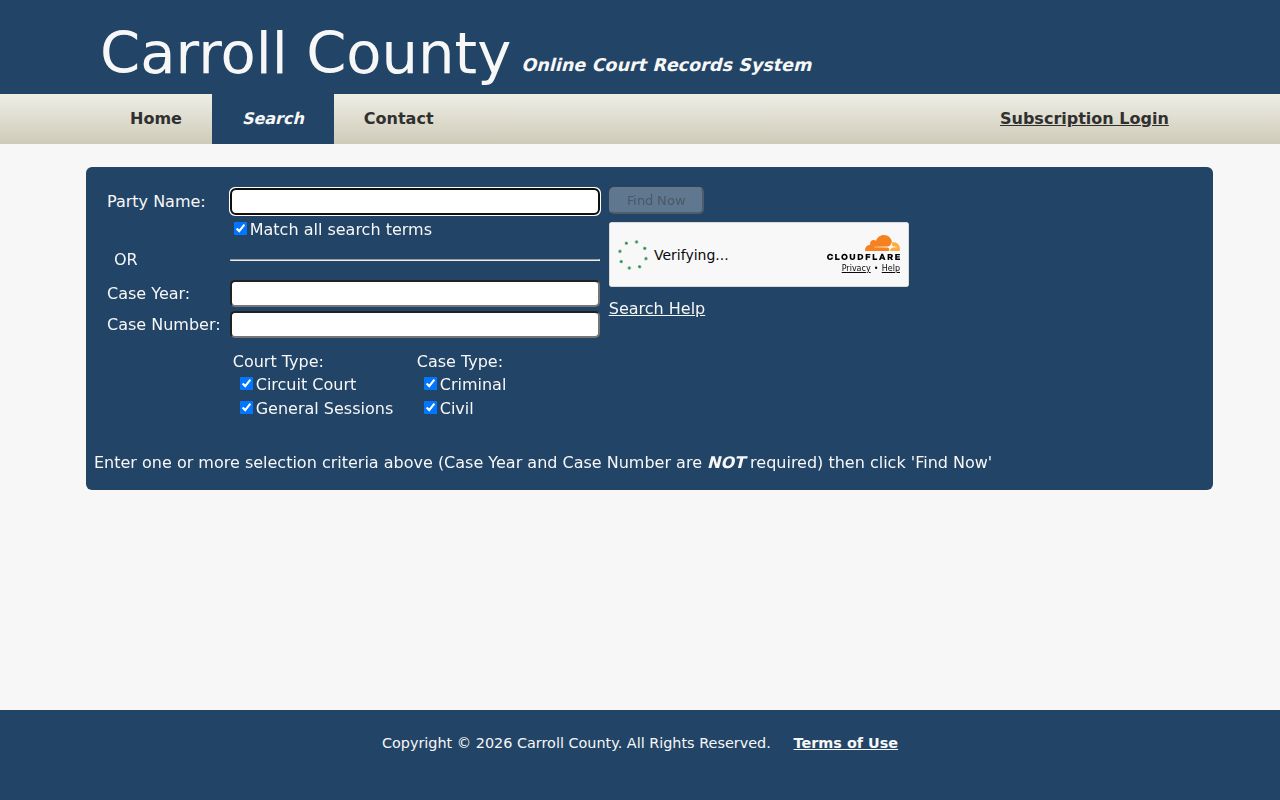
That layout explains why you should narrow by office and case type first. Otherwise a blank result may just mean the fields, not the docket, were wrong.
How to Search by Case Number
Carroll TnCIS treats a case reference and a formatted case number as different things. Its help offers 99GS1-2023-CR-12345 as a sample. Only 12345 goes in the Case Number box. For the year, enter 2023. A case reference belongs in the Party Name or Case Reference box.
Pasting the whole formatted identifier into Case Number is a classic failure. Unsure which kind of identifier your notice shows? Try it first as a case reference. If that flops, run the trailing digits as Case Number with the year and the right court. Not every Carroll court formats numbers alike. Municipal, Juvenile, Chancery, and appellate systems may each differ.
Still stuck? Search the full party name, one court office at a time. Keep the formatted number handy for the clerk. Staff can use it to pinpoint the venue even though the public field takes only the final digits.
Turnstile and Carroll Find Now
Find Now stays grayed out until the Cloudflare Turnstile check finishes. That is a portal gate, not a court-record restriction. If verification will not load, use a current browser. Allow JavaScript and cookies, then refresh once and try again. Phones can display the page. A desktop makes the table and the verification step easier.
The Carroll records landing page links to Search and also lists a Subscription Login. The public search posts no per-search charge. The pages list no subscription price. In short, no login is needed just to reach the public form.
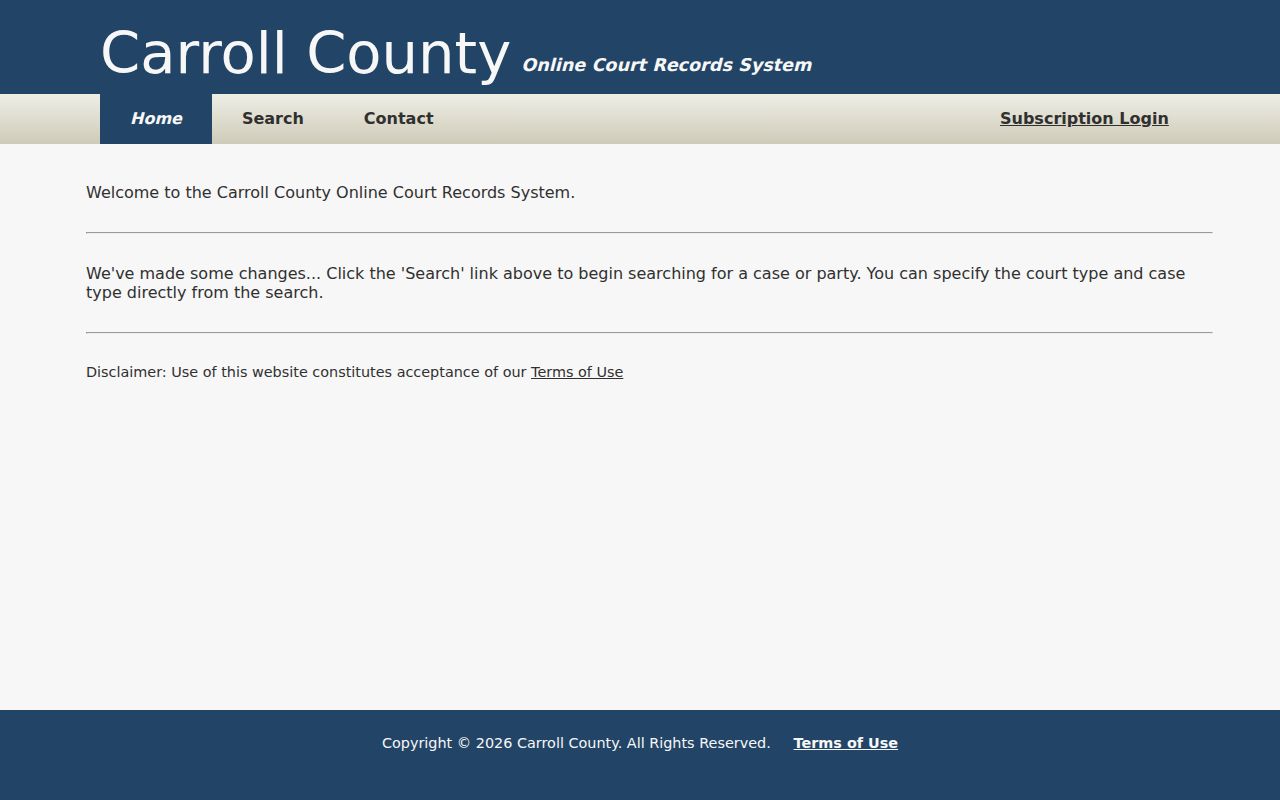
The landing page feeds into the county search without adding any courts.
What a Case Search Shows
A Carroll County case lookup can return a case reference, case number, style or party roles, court and case type, filing year or date, status, settings, event descriptions, and document links. Detail varies by case and office. Read each row as an index entry, nothing more. Scan the later events too. Only then decide what the current status means.
| Court and type | The participating office and criminal or civil category searched. |
|---|---|
| Case identity | The displayed number or reference and case style. |
| Parties and roles | Names paired with plaintiff, defendant, petitioner, respondent, or other roles. |
| Dates and settings | Filing, hearing, or event dates, each answering a different question. |
| Docket events | Filings, motions, orders, continuances, pleas, judgments, or dispositions. |
| Documents | Links when exposed; absence does not mean the filing does not exist. |
The Filter sorts through visible text only. It updates live but handles no quoted phrases or typos. Column headers sort both ways, up and down. Neither tool pulls records beyond the set already returned.
Narrow a Large Carroll Search
Results cap at 2,500 rows. That makes a bare common-name search a poor way to mine the archive. Narrow it down. Add the four-digit year. Pick one court or one case type. You can also use the numeric suffix. Portal help counts only the first ten words in the Party Name or Case Reference box. Year, number, and checkbox choices stay outside that count.
Log every combination you try. Note the exact term, court boxes, case type, year, retrieval date, result count, and likely match. With that record, the clerk can reproduce a failed or incomplete lookup.
County vs Statewide Case Search
Tennessee offers no single statewide public search for all Carroll County trial dockets. The county TnCIS subsite covers participating local Circuit Court and General Sessions offices. The wider Tennessee multi-county search queries participating offices at once, but office participation still sets its reach.
| Search | Scope | Use |
|---|---|---|
| Carroll TnCIS | Participating Carroll trial offices | First stop for Circuit and General Sessions |
| Multi-county TnCIS | Selected participating offices | Search when the county is uncertain |
| AOC Public Case History | Tennessee appellate courts | Use after an appeal record is filed |
| Clerk request | Official file held by that custodian | Documents, older records, and certification |
The Tennessee Public Court Records System is the state's hub for case lookup.
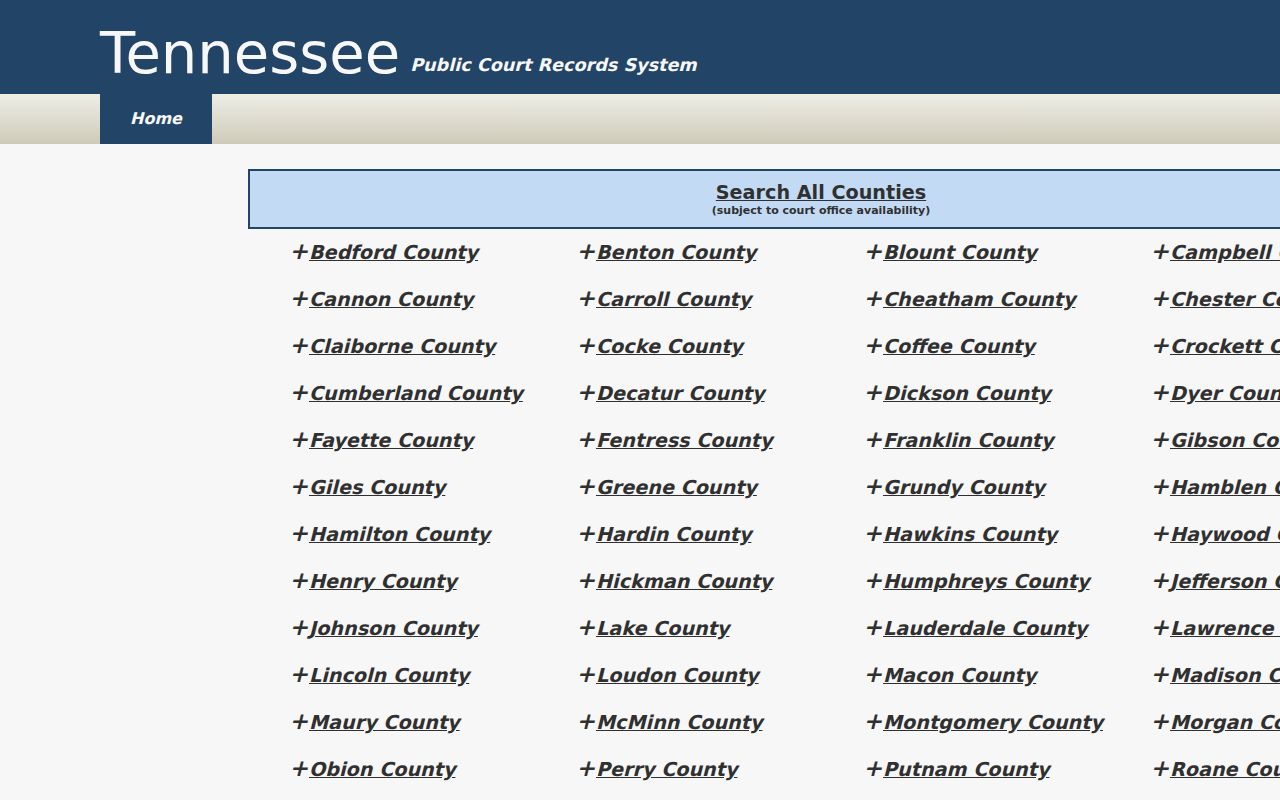
Office participation, not any promise of statewide completeness, sets the trial-search scope, and the multi-county interface adds one more layer to try.
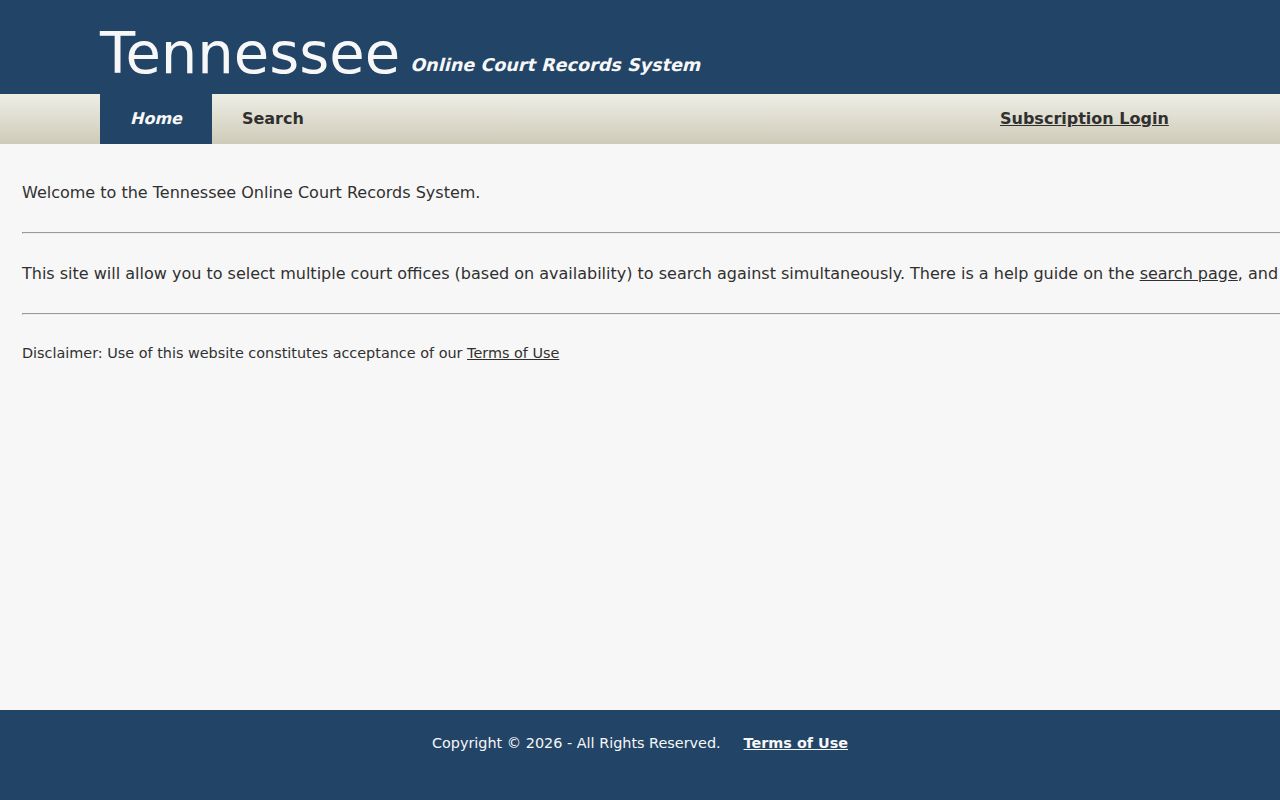
Use it to spot-check a docket in another participating county.
Carroll Offices Outside TnCIS
Not every Carroll County office takes part in the state portal. The county form covers Circuit Court and General Sessions only. Chancery and ordinary probate records sit with Clerk and Master Kenneth Todd. The office is at 99 Court Square, Suite 105, (731) 986-1920. Juvenile matters go through Juvenile Court & Services. Some of those files are confidential. Municipal ordinance and traffic cases stay with each city's own clerk.
Need to confirm which offices participate? The Carroll clerk-contact source lays out the court selector and contact fields the portal accepts.
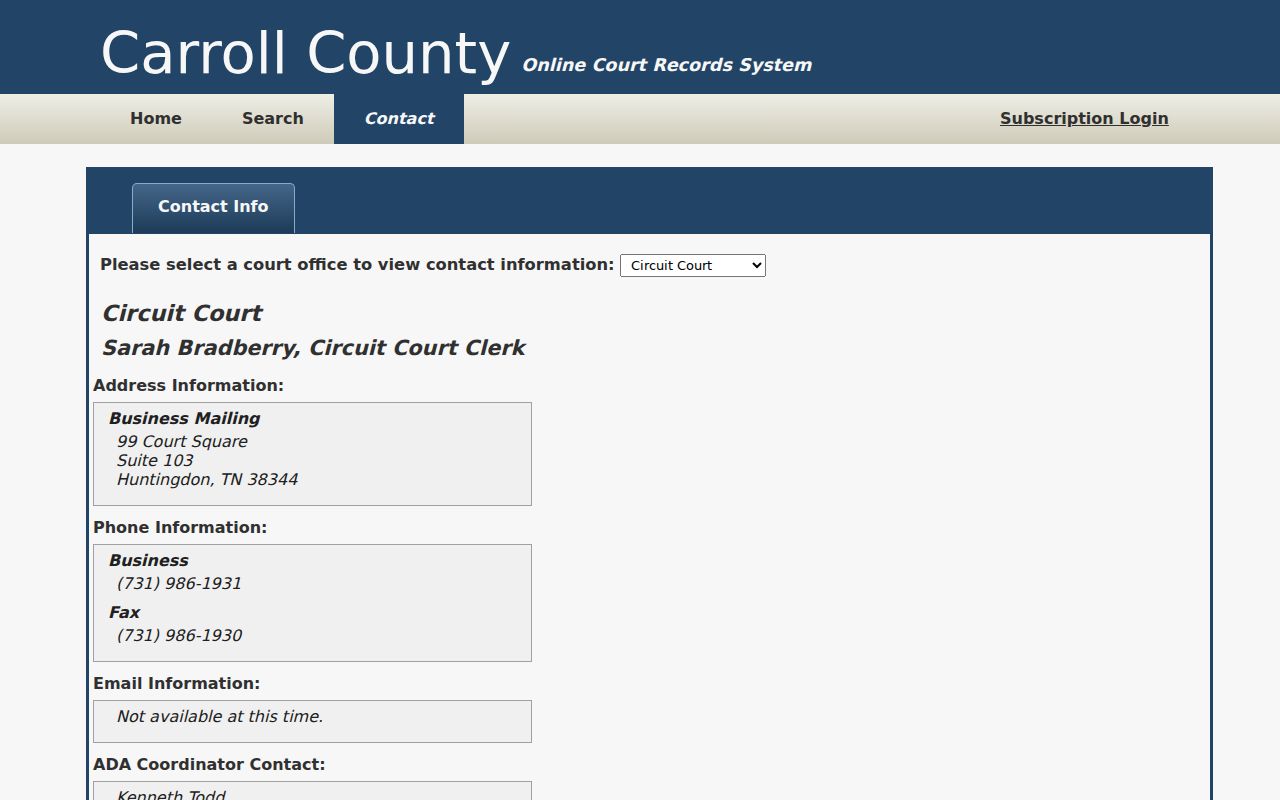
A failed lookup usually means the wrong office. Call the likely custodian directly rather than widening an unrelated docket search. The county court page lists separate civil and criminal staff lines for Circuit and General Sessions.
Restricted Cases and Access Rules
Openness is the default under Tennessee Supreme Court Rule 34. Court records are open to inspection unless a statute, a court order, confidential judicial material, or a court-function exception applies. Juvenile, adoption, and child-protection files, along with sealed, expunged, protected family, and personal-identifier material, may be restricted or redacted.
Portal absence has several meanings: the wrong court, an older file, incomplete indexing, a city-held case, or a legal restriction can each produce no public result.
Ask the custodian whether redaction still allows partial access. Also ask which rule, statute, or order governs any denial. Never attempt to bypass a restriction. Neither the Tennessee Public Records Act nor T.C.A. § 37-1-153 turns juvenile or sealed material into an ordinary public name-search result.
Verify a Carroll Search Result
The TnCIS terms say it plainly. Public data is not official clerk information. It may be incomplete or change. For an exact disposition, a current setting, or a filed order, ask the proper clerk for the docket or the document itself. Inspection and copies are available through the county form. Plain copies run $0.50 per page. Certification and seal cost $5 plus $0.50 per page for that service.
Check your result carefully. Match the court, case reference, event date, and document title against what the clerk holds. A setting on the calendar is not proof that a hearing took place. A docket label never replaces the signed order. If a Carroll County case search returns only a shell entry, request the specific complaint, motion, order, judgment, or disposition you need.
The Carroll County court record search walks through the official-copy route in detail. Keep the retrieval date and your search inputs with anything you save.
Note: Verify a current case status with the originating clerk. The public index is a locator, not a certified court record.